
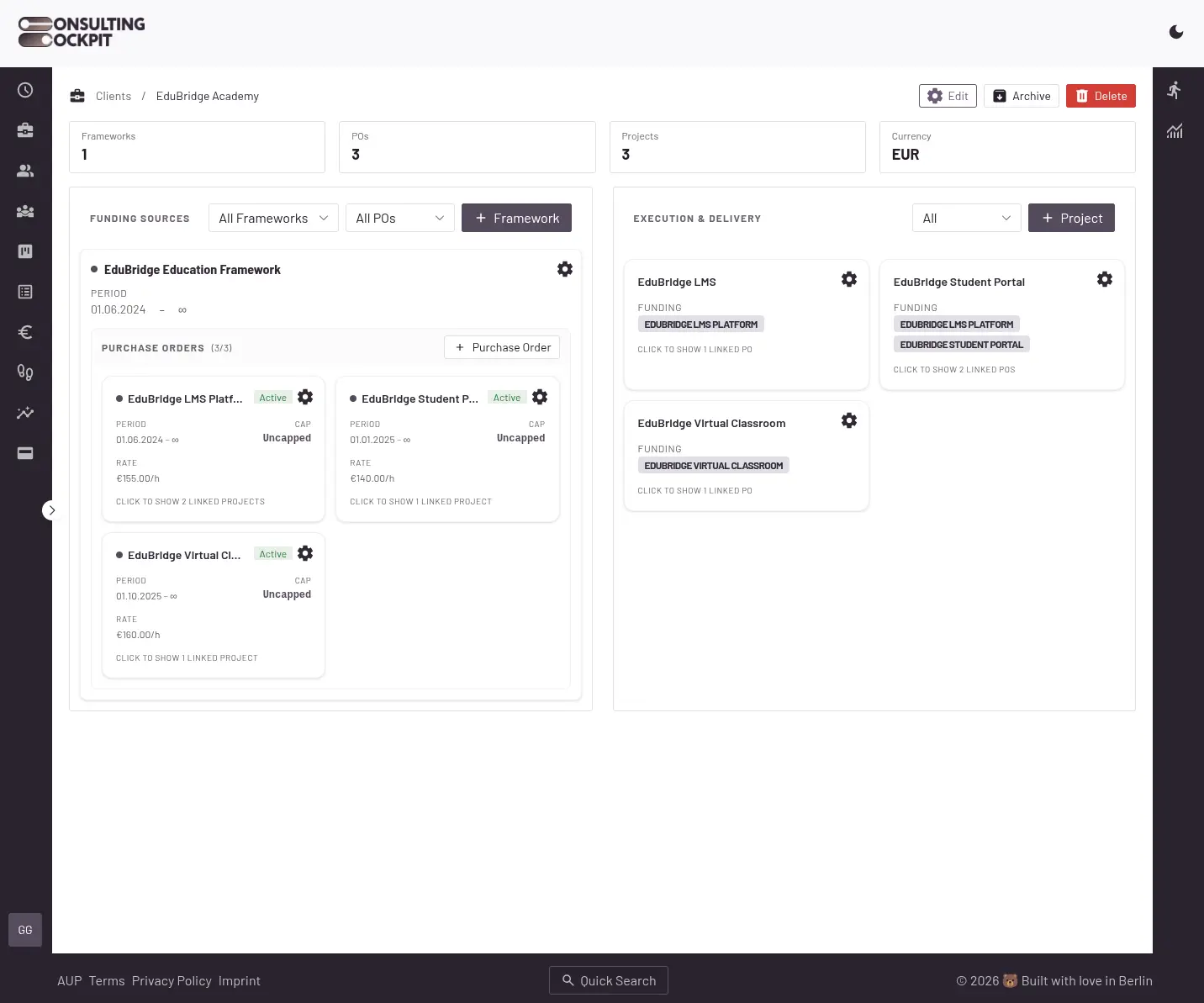
Framework agreements hold purchase orders with caps. Tracked hours draw from them automatically, with a warning before a budget is exceeded.
Hours past the PO cap are worked but not paid.
Hours and budgets are compared after the fact.
Hours cannot be traced to the PO that funded them.
Budget tracking from framework agreement to invoice, in four steps.
Each PO stores its number, period, hourly rate, and cap.
Consultants pick a project. Entries link to the agreement and PO automatically.
Hours draw from the active PO first, then the next queued PO.
A real-time warning alerts the PM before the cap is reached.
Distributed caching and content distribution nodes mapping.
GPU accelerated Middle-out compression algorithm integration.
Legacy search indexing and data pipeline synchronization.
The warning arrives while hours are still billable.
A real-time warning fires when a PO reaches 90% of its cap.
The remaining budget is shown in billable hours at the PO rate.
When the cap is reached, the queued PO funds further work.
Approved timesheets become invoice line items at the PO rate. See the e-invoice module.
The next queued PO funds the work automatically. If none exists, the project is marked No active funding.
Yes. The cap is shared across the linked projects, and the PO card shows the count.
No. They pick a project. Entries are matched to the agreement and PO automatically.
Approved timesheets become line items at the PO rate. Only funded hours are invoiced.
Set up a framework agreement, attach a purchase order, and track against it. Free for 30 days.