
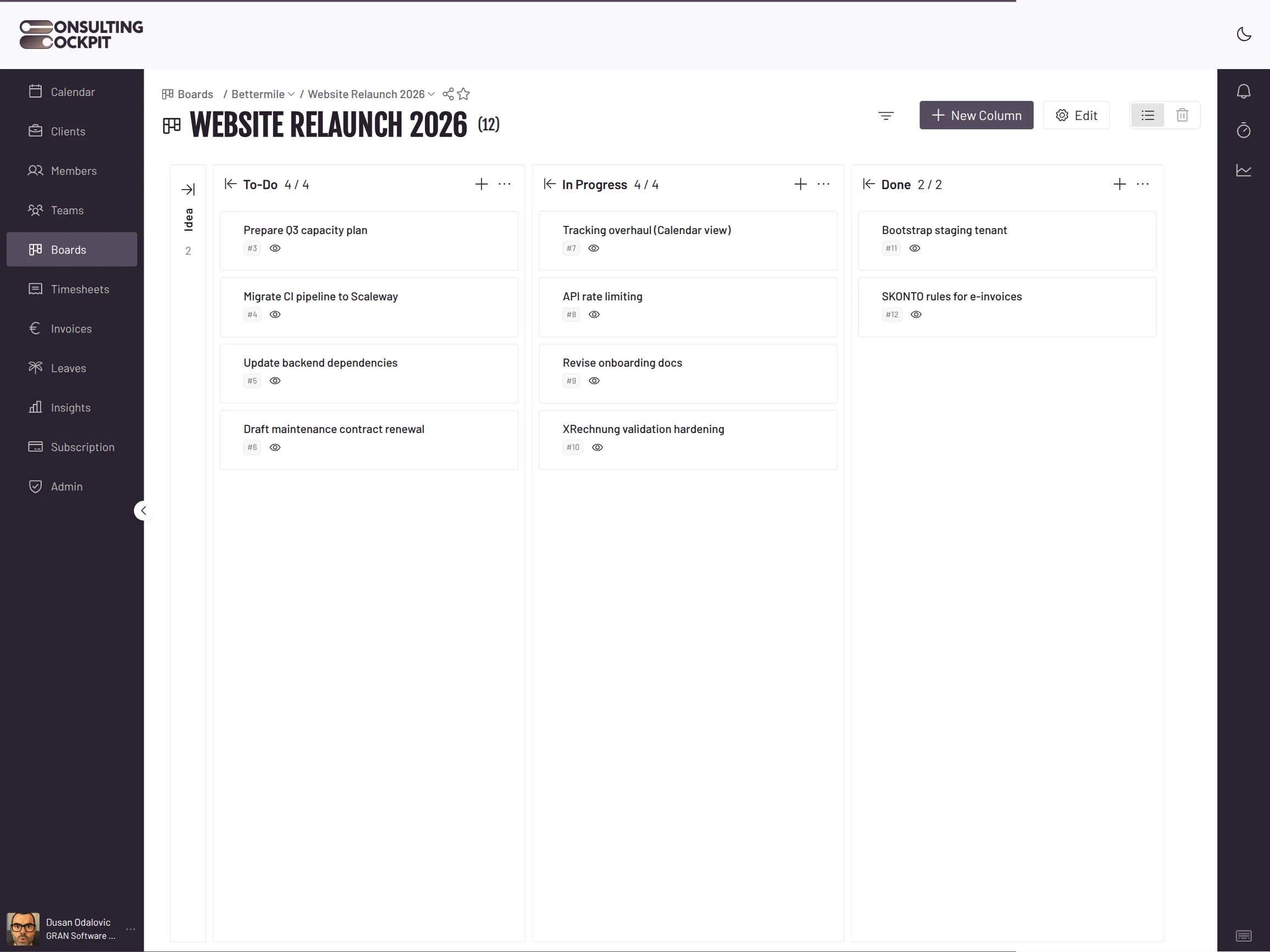
Every task on your client board shows who tracked how much time on it, billable and non-billable, so status and cost sit in the same place.
The board tells you a ticket moved to done, and nothing tells you it took eleven hours.
Consultants book against a project, so nobody can say which task ate the budget.
A card sits untouched for three weeks and only surfaces when the client asks about it.
The client questions a line on the invoice and you rebuild the history from memory and chat threads.
Your delivery view and your time record are the same screen.
Create a board per client or project, add columns for your delivery stages, and move or reorder cards as work progresses.
Each card carries its total time split into billable and non-billable, broken down by consultant, and shows who is tracking on it right now.
Cards show what blocks them and what they block, with the counts visible before you open anything.
Import a task list from a CSV file up to 5 MB and watch the rows arrive as they land.
Mention a colleague in a description or comment and they get a notification; cards also take tags, checklists, reactions and images.
The board is built for real client work, including the parts that go sideways.
A task untouched for 14 days is flagged as ageing; set a different number of days per column, or switch ageing off for columns where waiting is normal.
Removed cards go to a trash for 30 days where you can restore them, and only then are they gone for good.
An edited comment keeps its earlier versions, so a changed answer never quietly replaces the original one.
After a CSV import you see how many rows were skipped as duplicates and how many had no title, counted separately.
The hours you see on a card are the same hours that burn your project budget. Budget Tracking
Per task. Every card shows its own total, split into billable and non-billable, and broken down by the consultants who worked on it.
Yes. A card marks the consultants who are currently tracking time against it, alongside the totals they have already logged.
Import it from a CSV file up to 5 MB. Progress is visible while the import runs, and you get a count of any rows skipped as duplicates or missing a title.
They are flagged as ageing after 14 days by default. You can raise or lower that per column, or turn it off for columns where a card is meant to wait.
Deleted cards sit in the trash for 30 days and can be restored from there. Permanent deletion is a separate, deliberate step.
Each card records what blocks it and what it blocks, with the counts shown on the card itself.
Move your client work onto a board where every card carries its hours. Free for 30 days.