
Stop rebuilding invoices from timesheets: freeze the hours, get them signed off on paper, then turn the same document into the draft invoice.
A consultant edits an entry three weeks later and the invoice no longer matches the sheet the client signed.
Someone copies hours out of the tracker into a spreadsheet, then out of the spreadsheet into an invoice.
You chase five consultants for last month's hours before you can send a single invoice.
The client questions a figure and you have no per-person, per-day breakdown to put in front of them.
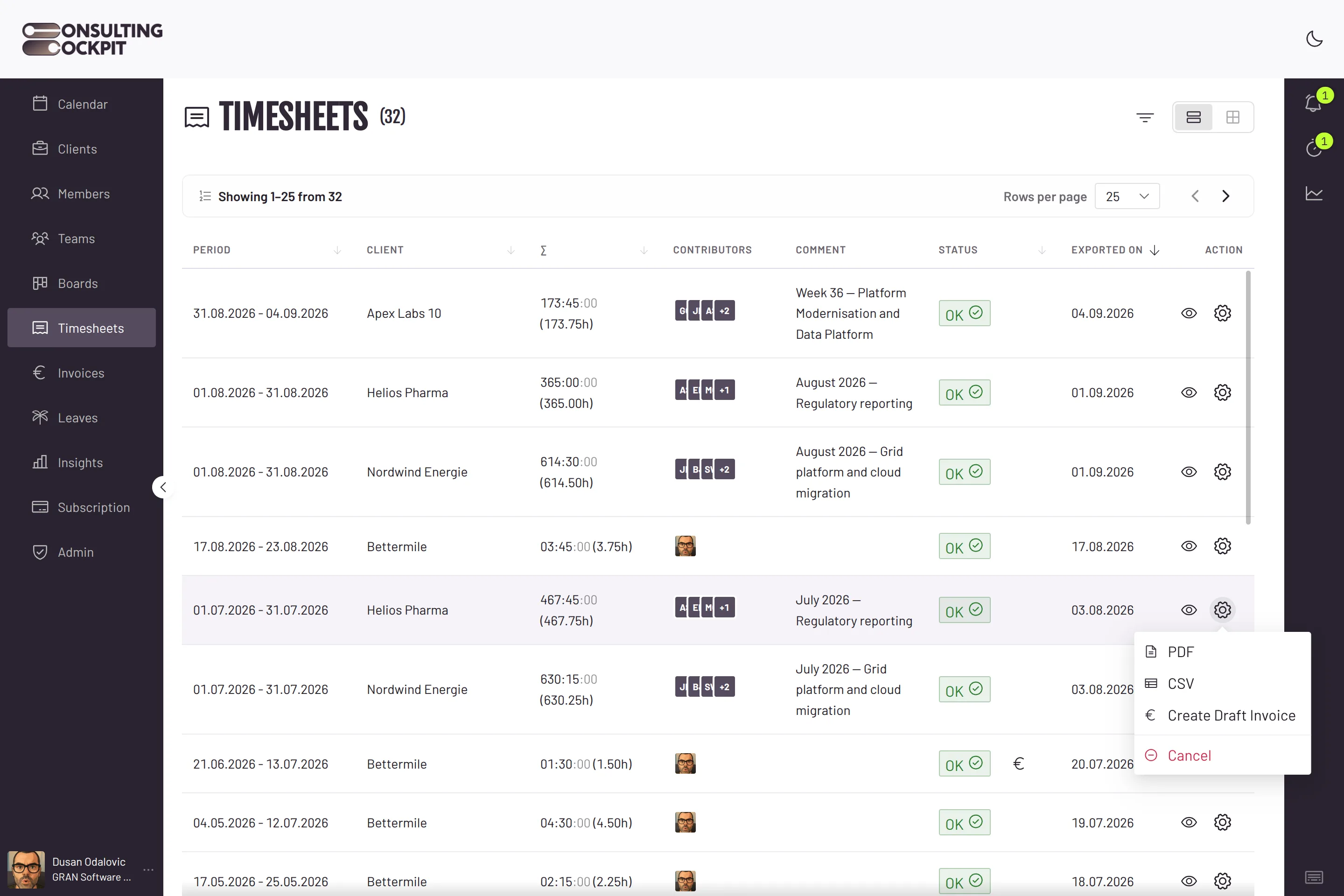
One document carries the hours from the tracker to the client and on to the invoice.
Choose the client, the date range and the contributors. Only completed billable hours that are not already on a timesheet for that client are pulled in.
The moment the timesheet exists, those entries are locked. Nobody can edit them, and in the calendar each one shows a lock that links back to the timesheet it belongs to.
The PDF carries your logo, both addresses, the period and the total. Per consultant it lists every day: project, description, hours to two decimals. CSV is one click away for anyone who wants the raw rows.
One button on an approved timesheet builds the draft. Lines are grouped by rate, wording and purchase order, each carrying the hours, the agreed rate, the client's PO number and the right VAT treatment.
Set a reminder day: the last day of the tracked month, the 1st, the 15th, or any day you name. Consultants who still have unsubmitted billable hours get an email listing exactly which clients are open.
Corrections are possible right up to the invoice, and impossible after it.
Once a timesheet sits on an issued invoice, cancellation is refused and the document is marked locked. The billing record stays exactly as the client received it.
Cancel a timesheet with a comment and its entries return to the pool for a corrected sheet, while the cancelled document keeps a copy of everything it contained.
An entry already sitting on a timesheet for that client is never offered again, whoever builds the next one.
Timesheet documents print in English, German or Polish depending on the language set on the client. Any other setting falls back to English.
The draft the timesheet produces becomes a structured e-invoice your client's system can read. EN 16931 E-Invoicing
Either. A consultant submits one for their own hours, and owners are notified by email and in the app the moment they do; an owner can build one sheet across several contributors at once.
No. Those entries are locked and are never re-priced or moved to another purchase order. To correct them, cancel the timesheet — which is only possible while it is not yet invoiced — and the hours become editable again.
No, there is no client login. You export the branded PDF, the client signs or confirms it, and you mark the timesheet accordingly before invoicing.
From the purchase order that covers each entry: hours are grouped per rate and per PO, and the client's PO number stays on the line. VAT, including reverse charge, follows the seller and buyer country and VAT ID.
Yes. On an open draft you can attach further unbilled timesheets for that client, filtered by period or by team member, and their hours flow into the line items.
Consultants only, never owners, and only those who had working capacity that month and are assigned to projects under an active purchase order. The mail names the clients whose billable hours are still unsubmitted.
Lock the month, get it signed, send the invoice from the same document. Free for 30 days.