
Your developers already wrote down what they did. Each repository maps to a client, so the issue they pick is the work that client pays for.
Work written down at the end of the week is remembered work. What nobody remembers, nobody bills.
"auth stuff", "#412", "fixed the bug". The client reads the invoice and asks what they paid for.
A developer working across three clients picks from memory, and the mistake surfaces when a budget does not add up.
When a line is challenged, nothing connects the hour to the piece of work it came from.
From the issue a developer is already working on to a billable hour, in four steps.
Install the Consulting Cockpit app and choose which repositories it may see. Nothing else is read.
One repository, one client. Set once in settings, changed whenever the engagement changes.
Consultants see the open issues for the client they are tracking, next to their board tasks and recent entries.
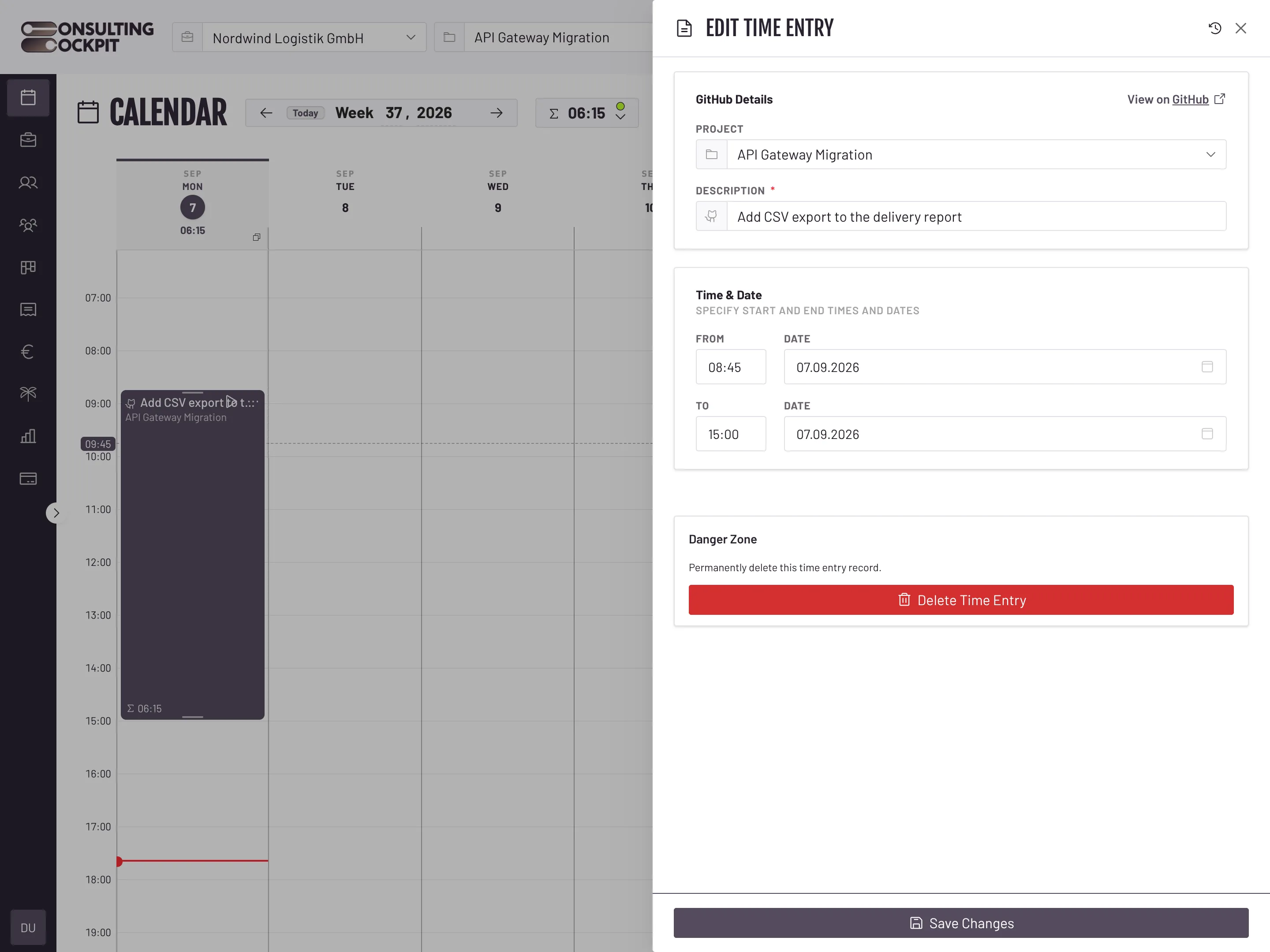
The issue title becomes the description, and the entry keeps a link straight back to the issue.
The suggestion list is a billing control, not a search box.
Suggestions come from the repositories mapped to the client being tracked. Another client's tickets never appear.
A repository cannot be mapped to two clients, so an issue can only ever be billed to the engagement it belongs to.
Only open issues are offered, so nobody logs hours against work that finished last month.
Disconnect GitHub and past entries keep their issue links. They are records of what was billed, not live lookups.
The issue only names the work. The timer, the week calendar and the rates that turn it into a billable hour are covered in Time Tracking
Open issues from the repositories mapped to the client they are tracking against, narrowed as they type. Issues from any other client are never suggested.
No. Only issues are offered, so an hour is logged against a piece of work rather than a review of it.
No. Each repository maps to exactly one client. If a repository moves to another engagement, change the mapping and later hours follow it.
No. One connection covers the whole organisation, and consultants pick issues inside Consulting Cockpit.
The issue title travels with the hour onto the timesheet and the invoice line, so the client reads the work in their own words. The link to the issue itself stays on the time entry.
Not yet. GitHub is the only connection today; issues from other trackers still have to be described by hand.
Connect a repository, map it to a client, and let your developers track against the issues in front of them. Free for 30 days.